Smart WiFi Doorbell Camera: The Ultimate Guide to Smarter Home Security
Updated: 31-Dec-2025
466
Introduction
Home security has evolved far beyond traditional locks and alarms. In today’s connected world, homeowners are increasingly turning to smart WiFi doorbell cameras to enhance safety, convenience, and peace of mind. A smart WiFi doorbell camera allows you to see, hear, and communicate with visitors at your door—no matter where you are—using your smartphone or smart device.
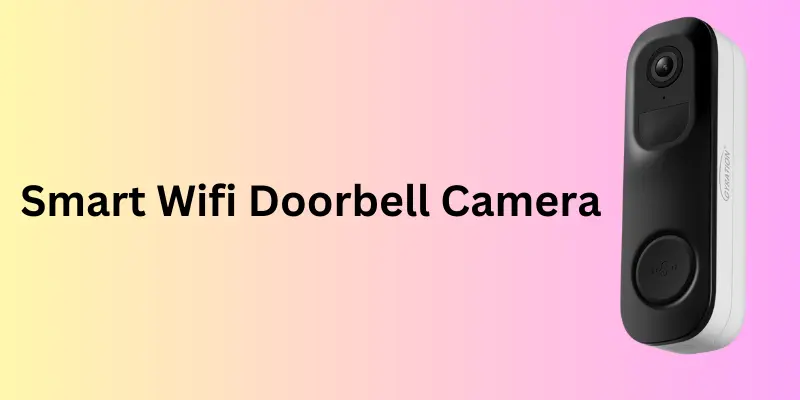
As smart home technology continues to grow, WiFi video doorbells have become one of the most popular and practical security solutions. From deterring package theft to monitoring suspicious activity, these devices offer real-time surveillance, motion alerts, cloud recording, and seamless integration with smart home ecosystems.
What Is a Smart WiFi Doorbell Camera?
A smart WiFi doorbell camera is a connected security device installed at your front door that combines a doorbell with a high-definition camera, microphone, speaker, and motion sensors. It connects to your home WiFi network and streams live video directly to a mobile app or smart display.
Unlike traditional doorbells, smart doorbell camera allows homeowners to:
- View visitors in real time
- Receive instant motion alerts
- Communicate via two-way audio
- Record video footage for later review
These devices are widely used for home security, apartment safety, and smart home automation.
How a Smart WiFi Doorbell Camera Works
A smart WiFi doorbell camera operates through a combination of hardware and cloud-based software.
- Motion Detection: Sensors detect movement near your door
- Video Capture: The camera records HD or Full HD footage
- WiFi Connectivity: Video is transmitted via WiFi
- Mobile App Alerts: Instant notifications are sent to your phone
- Cloud or Local Storage: Footage is stored securely
Some models also support AI-based motion detection, distinguishing between people, pets, vehicles, and packages.
Why Smart WiFi Doorbell Cameras Are Essential for Modern Homes
The rising demand for smart home security systems has made WiFi doorbell cameras an essential device for homeowners and renters alike.
Key Reasons to Use a Smart Doorbell Camera
- Prevents package theft
- Enhances front-door security
- Allows remote monitoring
- Provides evidence in case of incidents
- Improves convenience and peace of mind
With crime prevention and home monitoring becoming priorities, smart doorbell cameras offer an affordable yet powerful solution.
Key Features of a Smart WiFi Doorbell Camera
1. High-Definition Video Quality
Most smart WiFi doorbell cameras offer:
- 1080p Full HD or higher
- Wide-angle lenses (160°–180°)
- Clear video during day and night
Higher resolution ensures facial recognition and license plate visibility.
2. Night Vision Technology
Infrared night vision allows the doorbell camera to record clear footage in low-light or complete darkness, ensuring 24/7 protection.
3. Motion Detection & Smart Alerts
Advanced motion detection doorbell cameras use PIR sensors and AI technology to reduce false alerts caused by pets or passing vehicles.
Users can customize:
- Motion zones
- Sensitivity levels
- Alert frequency
4. Two-Way Audio Communication
Built-in microphones and speakers allow two-way audio, enabling users to speak with visitors, delivery personnel, or deter intruders remotely.
5. Mobile App Integration
A video doorbell with mobile app provides:
- Live video streaming
- Recorded playback
- Alert management
- Device settings
Apps are usually compatible with Android and iOS.
6. Cloud & Local Storage Options
Smart WiFi doorbell cameras support:
- Cloud storage (subscription-based)
- Local storage via SD card or hub
Cloud storage ensures secure backups even if the device is damaged.
7. Smart Home Integration
Many smart doorbells integrate with:
- Amazon Alexa
- Google Assistant
- Smart displays
- Home automation systems
This allows voice control and real-time video display on smart screens.
Benefits of Using a Smart WiFi Doorbell Camera
Enhanced Home Security
A visible wireless doorbell camera acts as a strong deterrent against burglars and suspicious activity.
Remote Access & Convenience
Monitor your front door from anywhere in the world, whether you’re at work, traveling, or inside your home.
Package Theft Prevention
Receive alerts when packages arrive and communicate with delivery drivers in real time.
Visitor Monitoring & Safety
Identify unknown visitors before opening the door, improving personal and family safety.
Evidence Collection
Recorded footage can be used as evidence for law enforcement or insurance claims.
Types of Smart WiFi Doorbell Cameras
Wired Smart Doorbell Camera
- Powered through existing doorbell wiring
- Continuous power supply
- Requires professional or DIY installation
Wireless (Battery-Powered) Doorbell Camera
- Easy installation
- Rechargeable batteries
- Ideal for renters
Smart Doorbell Camera with Chime
- Includes indoor chime
- Alerts inside the home
Smart Doorbell Camera Without Subscription
- Offers local storage
- No monthly fees
Smart WiFi Doorbell Camera vs Traditional Doorbell
| Feature | Smart WiFi Doorbell Camera | Traditional Doorbell |
|---|---|---|
| Video Monitoring | Yes | No |
| Motion Alerts | Yes | No |
| Remote Access | Yes | No |
| Two-Way Audio | Yes | No |
| Smart Home Integration | Yes | No |
| Security Level | High | Basic |
Buying Guide: How to Choose the Best Smart WiFi Doorbell Camera
Choosing the best smart WiFi doorbell camera depends on your home setup, security needs, and budget. Here are the most important factors to consider before buying:
1. Video Resolution & Field of View
Look for at least 1080p Full HD resolution for clear visuals. A wide-angle lens (160°–180°) ensures better coverage of visitors, packages, and surroundings.
2. Motion Detection & Smart Alerts
Advanced models offer AI-powered motion detection that can identify people, packages, and vehicles, reducing false alerts caused by pets or passing traffic.
3. Power Source (Wired vs Wireless)
Wired doorbell cameras provide continuous power, while battery-powered wireless models are easier to install and ideal for renters or apartments.
4. Storage Options & Subscription Costs
Choose between cloud storage, local storage, or a hybrid option. Consider whether a monthly subscription is required and what features it unlocks.
5. Two-Way Audio & Mobile App
A reliable two-way audio system and a user-friendly mobile app allow real-time communication, instant alerts, and easy access to live and recorded footage.
6. Smart Home Compatibility & Security
Ensure compatibility with Amazon Alexa, Google Assistant, or other smart home platforms. Strong encryption and privacy controls are essential for data security.
Installation and Setup Guide
Step-by-Step Installation
- Turn off power (for wired models)
- Mount the bracket securely
- Connect the device to WiFi
- Install the mobile app
- Customize alerts and settings
Most smart WiFi doorbell cameras offer DIY installation in under 30 minutes.
Privacy and Security Considerations
While smart doorbells enhance security, privacy is equally important.
Best Practices
- Use strong WiFi passwords
- Enable encryption
- Regularly update firmware
- Adjust camera angles responsibly
Choosing reputable brands ensures better data protection and compliance with privacy standards.
Smart WiFi Doorbell Cameras for Apartments and Renters
Wireless, battery-powered doorbell cameras are ideal for renters because they:
- Require no drilling
- Are easy to remove
- Work without existing wiring
This makes them a popular choice for urban living.
Common Myths About Smart Doorbell Cameras
Myth: Smart doorbells invade privacy
Fact: Proper settings ensure ethical and secure usage
Myth: They require expensive subscriptions
Fact: Many models offer free or local storage
Myth: Installation is complicated
Fact: Most models are beginner-friendly
Future Trends in Smart WiFi Doorbell Cameras
- AI-powered facial recognition
- Package detection technology
- Improved battery life
- Edge computing for local processing
- Deeper smart home integration
As technology evolves, smart doorbell cameras will become even more intelligent and secure.
Expert Tips for Maximizing Performance
- Position camera at chest height
- Optimize motion zones
- Clean lens regularly
- Test WiFi signal strength
- Update software frequently
Comparison Tables – Smart WiFi Doorbell Camera
Table 1: Feature-Based Comparison of Smart WiFi Doorbell Cameras
| Feature | Basic Model | Mid-Range Model | Premium Model |
|---|---|---|---|
| Video Resolution | 720p–1080p HD | 1080p Full HD | 2K / 4K Ultra HD |
| Field of View | 120°–140° | 160° | 180°+ |
| Night Vision | Standard IR | Enhanced IR | Color + IR Night Vision |
| Motion Detection | Basic Motion | Smart Motion Zones | AI Person & Package Detection |
| Two-Way Audio | Yes | Yes (Noise Reduction) | Yes (Advanced Audio) |
| Storage Options | Cloud Only | Cloud + Local | Local + Cloud (Encrypted) |
| Smart Home Support | Limited | Alexa / Google | Alexa, Google, Smart Displays |
| Power Source | Battery | Battery / Wired | Wired + Backup Battery |
| Mobile App | Basic Controls | Custom Alerts | Advanced Automation |
Table 2: Price-Based Comparison (Estimated Market Range)
| Price Range | Ideal For | Key Features | Subscription |
|---|---|---|---|
| Budget ($40–$80) | Small homes, renters | HD video, basic alerts, night vision | Optional |
| Mid-Range ($80–$150) | Most households | Full HD, smart alerts, two-way audio | Optional |
| Premium ($150–$300+) | Advanced security users | 2K/4K video, AI detection, smart integration | Often Required |
Table 3: Wired vs Wireless Smart WiFi Doorbell Cameras
| Feature | Wired Doorbell Camera | Wireless Doorbell Camera |
|---|---|---|
| Installation | Moderate | Easy |
| Power Supply | Continuous | Battery-powered |
| Maintenance | Low | Battery recharging |
| Best For | Homeowners | Renters & apartments |
| Reliability | Very High | High (battery dependent) |
Table 4: Smart WiFi Doorbell Camera – Feature Importance by Use Case
| Use Case | Recommended Features |
|---|---|
| Package Theft Prevention | Motion alerts, two-way audio, wide-angle view |
| Apartment Security | Wireless, compact design, mobile alerts |
| Family Safety | Night vision, HD video, smart notifications |
| Smart Home Setup | Alexa/Google integration, app automation |
FAQs: Smart WiFi Doorbell Camera
1. What is a smart WiFi doorbell camera?
A smart WiFi doorbell camera is a connected security device that lets you see, hear, and speak to visitors through your smartphone using live video and motion alerts.
2. Do smart WiFi doorbell cameras require a subscription?
Not always. Some models offer free features or local storage, while others require a subscription for cloud storage, video history, and advanced AI detection.
3. Are wireless doorbell cameras better than wired ones?
Wireless doorbell cameras are easier to install and ideal for renters, while wired models offer continuous power and require less maintenance over time.
4. Can a smart doorbell camera work at night?
Yes, most smart WiFi doorbell cameras include infrared or color night vision, allowing clear video recording in low-light or dark conditions.
5. How secure are smart WiFi doorbell cameras?
High-quality models use encrypted data, secure cloud storage, and regular firmware updates to protect user privacy and prevent unauthorized access.
6. Where should a smart WiFi doorbell camera be installed?
For best performance, install it at chest height near the front door with a clear view, strong WiFi signal, and properly configured motion zones.
Summary
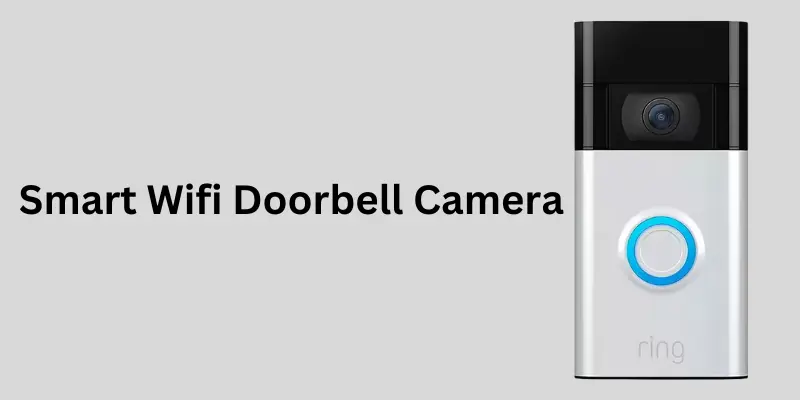
A smart WiFi doorbell camera is a practical and effective upgrade for modern home security, offering real-time video monitoring, motion alerts, two-way communication, and seamless smart home integration. Whether you want to prevent package theft, monitor visitors remotely, or enhance overall safety, these devices provide convenience and peace of mind at an affordable cost. By choosing a model with the right features—such as HD video quality, reliable motion detection, secure storage options, and strong privacy controls—you can ensure long-term performance and protection. As smart home technology continues to advance, investing in a smart WiFi doorbell camera is a smart step toward a safer, more connected home.
Conclusion
A smart WiFi doorbell camera is no longer a luxury—it’s a practical and powerful home security solution for modern households. By offering real-time monitoring, motion alerts, two-way communication, and smart home integration, these devices significantly improve safety, convenience, and peace of mind.
Whether you live in a house, apartment, or rental property, choosing the right smart WiFi doorbell camera ensures better protection for your family, packages, and property. With the right features, proper installation, and responsible usage, a smart doorbell camera becomes a valuable investment in long-term home security.
Please Write Your Comments