Nest Temperature Sensor: The Ultimate Guide for Smart Climate Control
Updated: 18-Jul-2025
341
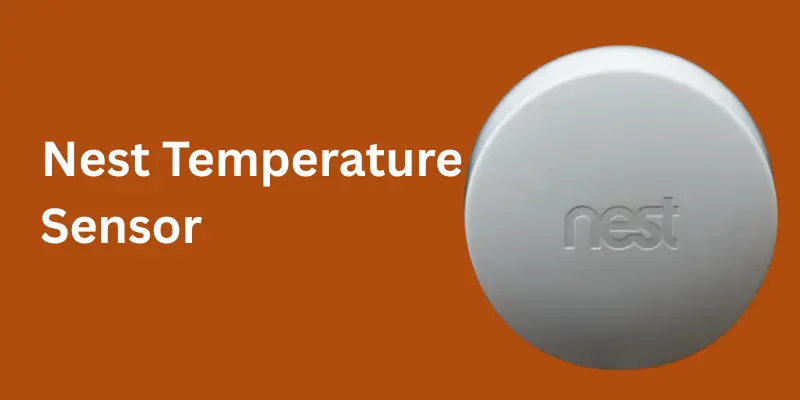
The Nest Temperature Sensor is a smart accessory designed to work seamlessly with Nest thermostats, allowing homeowners to manage the temperature in specific rooms with greater precision. By placing the sensor in any room, it helps the thermostat read the actual temperature where comfort matters most, rather than relying solely on the thermostat’s location.
This makes it ideal for large homes, rooms with inconsistent heating or cooling, or spaces that are used more frequently. The nest smoke detectors and carbon monoxide alarm revolutionizes home safety. Unlike traditional alarms,
What is the Nest Temperature Sensor?
The Nest thermostat temperature sensor is a small, wireless device that works in tandem with your Nest Learning Thermostat or Nest Thermostat E. It monitors the temperature in the room where it’s placed and sends the data back to your thermostat.
This allows your Nest Thermostat to adjust heating and cooling based on the temperature in specific areas, not just where the thermostat is installed. Essentially, it helps solve the problem of “hot spots” or “cold spots” in multi-story or large homes.
Importance of Nest Temperature Sensor
The Nest Temperature Sensor isn’t just a smart home accessory—it’s a game-changer for achieving optimal comfort and energy efficiency. Here’s why it’s so important:
1. Solves Uneven Heating and Cooling
Many homes have hot and cold spots, especially in multi-story or large layouts. The Nest thermostat temperature sensor allows your HVAC system to prioritize the room you care about most.
2. Enables Multi-Room Temperature Control
By using multiple sensors, you can assign priorities to different areas of your home at different times (e.g., living room during the day, bedroom at night).
3. Seamless Integration with Google Nest Ecosystem
It works perfectly within the Google Nest ecosystem devices, allowing easy control through the Google Home app or Nest app.
4. Long Battery Life and Low Maintenance
With a battery life of up to 3 years (2nd Gen), you can install it and forget about it for years—no constant charging required.
5. Energy Efficiency and Cost Savings
By focusing heating or cooling on occupied rooms, your HVAC system works less, saving energy and lowering utility bills.
6. Compact and Discreet Design
Its small size and wireless setup make it unobtrusive. It blends seamlessly into your home décor without requiring complex installation.
7. Future-Ready Smart Home Expansion
As Google develops more smart home technologies, the Nest temperature sensor compatibility and future firmware updates (like Matter protocol support) make it a forward-thinking investment.
8. Ideal for Better Sleep Comfort
No more freezing bedrooms at night or stuffy upstairs spaces. Place a sensor in your bedroom and prioritize it overnight for consistent, comfortable temperatures.
9. Supports Multi-Zone HVAC Systems
When paired with multiple Nest thermostats and sensors, it’s perfect for homes with multi-zone systems, offering upstairs and downstairs control.
10. International Standards Compliance
The sensor adheres to global certifications (FCC, CE, RoHS), ensuring it’s safe and reliable for international users.
Types of Nest Temperature Sensor
Currently, there are two types of Nest Temperature Sensors available, reflecting their evolution since launch:
Nest Temperature Sensor 1st Gen (2018)
- Features: Basic temperature sensing, up to 50 ft range, Bluetooth Low Energy.
- Battery Life: Up to 2 years (CR2 lithium battery).
- Compatibility: Works with Nest Learning Thermostat (3rd Gen) and Nest Thermostat E.
- Best For: Small to medium homes with few temperature variation zones.
Nest Temperature Sensor 2nd Gen (2023)
- Features: Improved range (up to 75 ft), enhanced temperature accuracy (±0.5°F), over-the-air firmware updates, and Thread protocol support.
- Battery Life: Up to 3 years (CR2450 coin cell battery).
- Compatibility: Backward-compatible with older Nest thermostats; optimized for Google Home ecosystem.
- Best For: Large homes or multi-story setups needing more robust coverage.
Material Used to Make the Nest Temperature Sensor
The Nest Temperature Sensor uses high-quality, lightweight, and eco-friendly materials:
| Component | Material |
|---|---|
| Outer Shell | Polycarbonate (PC) plastic – durable & heat resistant |
| Internal Housing | ABS (Acrylonitrile Butadiene Styrene) for structure |
| Temperature Sensing Unit | Thermistor with metal alloy contacts |
| Battery Compartment | Reinforced ABS with heat shielding |
| Circuit Board | Fiberglass-reinforced epoxy (FR-4) |
| Packaging (Eco) | 100% recyclable cardboard and minimal plastic wrap |
These materials are chosen for their durability, heat resistance, and environmental friendliness, aligning with Google’s sustainability goals for the Nest ecosystem.
Key Features of the Nest Temperature Sensor
| Feature | Details |
|---|---|
| Wireless Connectivity | Uses Bluetooth Low Energy (BLE) for communication with Nest thermostats |
| Range | Up to 50 feet from the thermostat (may vary by home layout) |
| Battery Life | Long-lasting (up to 2 years) CR2 lithium battery |
| Multi-Sensor Support | Supports up to 6 sensors per thermostat for multi-zone temperature control |
| Compact Design | Small, discreet, and easily blends into home décor |
| Scheduling | Assign specific sensors to control temperature at different times |
How Does the Nest Temperature Sensor Work?
The sensor measures the ambient temperature of the room it’s placed in. The Nest thermostat then uses this data to adjust heating or cooling, prioritizing the sensor’s location based on your schedule.
This is especially useful for:
- Keeping bedrooms cooler at night
- Managing upstairs and downstairs zones
- Optimizing comfort in living areas during the day
It’s an excellent smart home temperature sensor for families with different comfort preferences.
Nest Temperature Sensor Installation and Setup
Setting up the Nest temperature sensor is straightforward:
- Place the sensor in the desired room (ideally at chest height and away from vents).
- Open the Google Home app or Nest app.
- Follow the Nest temperature sensor setup instructions to pair it with your thermostat.
- Assign the sensor to a schedule (for example, prioritize it at night).
When considering Nest temperature sensor location, avoid areas with direct sunlight or drafts for the most accurate readings.
Nest Temperature Sensor Range and Coverage
The sensor can communicate with your thermostat up to 50 feet away in an open space. However, walls and floors may slightly reduce the effective range.
It’s ideal for multi-room setups and homes where the thermostat is in a hallway or less-used space.
Battery Life and Maintenance
The Nest temperature sensor battery life is impressive—lasting up to 2 years on a single CR2 lithium battery. When the battery runs low, you’ll get a notification in your Nest app. Replacing it is simple and requires no tools.
Nest Temperature Sensor Cost
The Nest temperature sensor cost typically ranges from $39 to $49 per unit. Bundles are available if you need multiple sensors for larger homes or Nest thermostat with multiple sensors configurations.
Past, Present, and Future Usage of the Nest Temperature Sensor
| Timeline | Usage Highlights |
|---|---|
| Past (2018–2020) | – Launched alongside Nest Thermostat E and 3rd Gen Nest Learning Thermostat. – Solved temperature imbalances in single-zone HVAC systems. – Limited range and no firmware updates. |
| Present (2021–2025) | – 2nd Gen introduced with improved range, Thread support, and better accuracy. – Integration with Google Home app allows scheduling and zone prioritization. – Used widely for multi-story homes and in Google Nest ecosystem devices setups. |
| Future (2025–2030) | – Expected to feature humidity, occupancy, and air quality sensing. – Potential AI integration for automatic zone management. – Likely to support Matter protocol for cross-brand smart home compatibility. |
Insight: Future iterations may allow the sensor to control HVAC systems independently or support voice commands via Google Assistant.
Nest Temperature Sensor vs Competitors (Comparison Table)
| Feature | Nest Temperature Sensor (2nd Gen) | Ecobee SmartSensor | Honeywell Smart Room Sensor | Govee WiFi Temperature Sensor |
|---|---|---|---|---|
| Compatibility | Nest Thermostats only | Ecobee Thermostats only | Honeywell T9/T10 Thermostats | Works with Alexa, Google Home |
| Temperature Accuracy | ±0.5°F | ±1°F | ±1°F | ±0.5°F |
| Humidity Sensing | No | Yes | Yes | Yes |
| Motion/Occupancy Detection | No | Yes | Yes | No |
| Range | Up to 75 ft | Up to 45 ft | Up to 200 ft | WiFi (unlimited in-home range) |
| Battery Life | Up to 3 years | Up to 1 year | Up to 1.5 years | USB powered or battery |
| Connection Type | BLE + Thread | Zigbee | RF | WiFi |
| Multi-Sensor Support | Up to 6 sensors | Up to 32 sensors | Multiple | Unlimited (via app) |
| Price (Single Unit) | $49–$59 | $79 (pack of 2) | $39 | $39 |
| App Integration | Google Home, Nest App | Ecobee App | Honeywell Home App | Govee Home App |
| Best For | Google Nest users | Ecobee smart home setups | Honeywell smart thermostats | Budget smart home enthusiasts |
Key Takeaways from Comparison
- Nest Temperature Sensor: Best for Google Nest ecosystem users who prioritize simplicity and battery life.
- Ecobee Smart Sensor: Great for those needing occupancy and humidity detection.
- Honeywell Smart Room Sensor: Offers longest range and motion sensing.
- Govee WiFi Temperature Sensor: Ideal for budget setups or users without a brand-locked ecosystem.
Pros and Cons of Nest Temperature Sensor
| Pros | Cons |
|---|---|
| Easy to install and use | No humidity or motion sensing |
| Affordable price | Limited to Nest thermostats |
| Excellent battery life | Range may vary in large multi-story homes |
| Supports multi-zone scheduling | Cannot independently control HVAC systems |
Tips for Optimal Use
Place in rooms you use most often.
Avoid areas with direct heat sources or cold drafts.
Schedule sensors to prioritize comfort where and when needed.
Consider pairing with Google Nest Hub for better ecosystem control.
Common Issues and Troubleshooting
If you’re experiencing connection issues:
- Check the Nest sensor coverage area (move closer to thermostat if needed).
- Ensure your thermostat firmware is up to date (Nest temperature sensor firmware update).
- Replace the battery if you see low battery alerts.
Comparison: Nest Temperature Sensor 1st Gen vs 2nd Gen
| Feature | 1st Gen | 2nd Gen |
|---|---|---|
| Release Year | 2018 | 2023 |
| Range | Up to 50 ft | Up to 75 ft |
| Battery Life | Up to 2 years | Up to 3 years |
| Battery Type | CR2 lithium | CR2450 coin cell |
| Connectivity | Bluetooth Low Energy (BLE) | BLE + Thread for improved range |
| Firmware Updates | Limited | Supports over-the-air updates |
| Temperature Accuracy | ±1°F | ±0.5°F |
| Price | $39–$49 | $49–$59 |
The 2nd Gen offers better range, longer battery life, and enhanced accuracy, making it worth the upgrade for larger homes or multi-story setups.
Nest Temperature Sensor Buyer’s Guide (With Amazon Links)
Here’s a curated list of Nest and competitor options for wireless temperature sensors:
| Product | Features | Amazon Link |
|---|---|---|
| Google Nest Temperature Sensor | For Nest Thermostats, up to 6 per home, 2-year battery life | Buy on Amazon |
| Ecobee SmartSensor | Includes motion & occupancy detection, humidity sensor | Buy on Amazon |
| Aqara Temperature and Humidity Sensor | Zigbee connectivity, compatible with Google Home | Buy on Amazon |
| Honeywell Smart Room Sensor | Up to 200 ft range, motion detection | Buy on Amazon |
| Govee WiFi Temperature Sensor | WiFi, no hub needed, app notifications | Buy on Amazon |
Prices may vary. Check Amazon for current deals.
International Statistics on Smart Home Temperature Sensor Adoption
- North America leads with a 48% adoption rate in households using smart thermostats with remote sensors.
- 🇪🇺 Europe follows at 35%, driven by smart home trends in Germany, UK, and Scandinavia.
- 🇨🇳 China and APAC regions are rapidly growing, with a 22% increase year-over-year in smart climate devices.
- Globally, the smart thermostat market is projected to grow from $3.5 billion in 2024 to $8.1 billion by 2030, with temperature sensors playing a crucial role.
How to Set Up Nest Temperature Sensor with Nest Thermostat
- Place your sensor in the room where you want temperature priority.
- Open the Google Home app or Nest app.
- Tap your thermostat > Settings > Add accessory > Select “Nest Temperature Sensor.”
- Follow on-screen instructions to pair the sensor via Bluetooth.
- Assign a schedule (e.g., prioritize living room in the day, bedroom at night).
Tip: For best performance, place the sensor at chest height, away from direct sunlight, vents, or windows.
Does Nest Temperature Sensor Work with Nest Thermostat E?
Yes! The Nest Temperature Sensor is fully compatible with the Nest Thermostat E and the Nest Learning Thermostat (3rd Gen). It is not compatible with the 2020 Nest Thermostat (non-E) model.
Best Settings for Nest Temperature Sensor in Multi-Zone Homes
Set Daytime Priority to living areas like your kitchen or living room.
Set Nighttime Priority to bedrooms for better sleep comfort.
Use the “Schedule” feature in the Google Home app to automate zone changes.
If you have multiple floors, place one sensor upstairs and one downstairs for balanced HVAC control.
How Accurate is Google Nest Temperature Sensor?
The Nest Temperature Sensor 2nd Gen has an accuracy of ±0.5°F, while the 1st Gen offers ±1°F. This level of precision is sufficient for most residential HVAC systems and provides consistent room temperature data.
Nest Temperature Sensor for Upstairs and Downstairs Control
For multi-story homes:
- Place one sensor upstairs and one downstairs.
- Schedule daytime priority to downstairs (living room, kitchen).
- Schedule nighttime priority to upstairs (bedrooms).
This setup helps solve the common problem of uneven temperatures between floors.
Nest Temperature Sensor Compatibility with Older Thermostats
Works with:
- Nest Learning Thermostat (3rd Gen)
- Nest Thermostat E
Not compatible with:
- Nest Thermostat (2020 version, non-E)
- Older 1st or 2nd Gen Nest Learning Thermostats
Nest Temperature Sensor Battery Replacement Guide
- Turn the sensor over and twist the battery cover counterclockwise.
- Remove the old battery (CR2 for 1st Gen, CR2450 for 2nd Gen).
- Insert the new battery, ensuring correct polarity.
- Twist the cover back on until it clicks.
Tip: After replacement, your sensor will automatically reconnect to the thermostat.
Nest Temperature Sensor Smart Home Integration Tips
Pair with Google Home Hub for visual temperature monitoring.
Combine with Google Assistant for voice commands like:
“Hey Google, what’s the temperature in the bedroom?”
Use routines to adjust priorities automatically (e.g., when you say “Goodnight,” the bedroom sensor becomes priority).
Integrate with other Google Nest ecosystem devices like cameras and doorbells for a unified smart home experience.
Does Nest Temperature Sensor Work Without Wi-Fi?
Yes. The Nest Temperature Sensor does not require Wi-Fi to function. It uses Bluetooth Low Energy (BLE) to communicate directly with your Nest Thermostat. However, you’ll need Wi-Fi for your thermostat to access the Google Home app or Nest app to configure schedules or monitor sensor data remotely.
How Many Nest Sensors Can You Connect to One Thermostat?
You can connect up to 6 Nest Temperature Sensors per thermostat. If you have multiple thermostats (like in a multi-zone home), you can use up to 18 sensors in total (6 per thermostat).
Is Nest Temperature Sensor Worth It for Large Homes?
Absolutely. In large or multi-story homes, a single thermostat often struggles to maintain consistent temperatures across all rooms. Adding Nest Temperature Sensors allows you to:
- Prioritize heating/cooling for specific zones
- Reduce temperature imbalances between floors
- Improve comfort for bedrooms at night and living areas during the day
Bottom Line: For homes over 2,000 sq ft or with multiple floors, the Nest Temperature Sensor is highly recommended.
Requirements of Nest Temperature Sensor
To use the Nest Temperature Sensor effectively, you’ll need:
| Requirement | Details |
|---|---|
| Compatible Thermostat | Nest Learning Thermostat (3rd Gen) or Nest Thermostat E |
| Mobile App | Google Home or Nest app (for setup and scheduling) |
| Power Source | CR2 (1st Gen) or CR2450 (2nd Gen) battery |
| Operating Range | Must be within 50–75 ft of the thermostat (depending on generation) |
| Mounting Location | Away from direct sunlight, vents, or heat-producing appliances |
Limitations of Nest Temperature Sensor
While highly effective, the sensor has some limitations:
| Limitation | Description |
|---|---|
| No humidity or motion sensing | Unlike Ecobee SmartSensors, it only measures temperature. |
| Limited thermostat compatibility | Works only with Nest Learning Thermostat (3rd Gen) and Thermostat E. |
| Cannot independently control HVAC system | It prioritizes rooms but doesn’t directly operate your HVAC system. |
| Range restrictions | Bluetooth range can be reduced by thick walls or floors. |
| No native Matter or Zigbee support | Limited to Google Nest ecosystem (no cross-platform compatibility). |
International Laws Governing the Nest Temperature Sensor
The Nest Temperature Sensor complies with international standards for electronic devices:
United States (FCC Compliance) – Meets FCC Part 15 standards for low-energy wireless devices.
🇪🇺 European Union (CE Marking) – Certified for safety and environmental standards in the EU.
🇨🇦 Canada (IC Certification) – Industry Canada certified for wireless communication devices.
RoHS Compliance – Restricts use of hazardous materials in electrical/electronic products globally.
🇯🇵 Japan (TELEC Certification) – Approved for wireless communication in Japan.
Note: Google regularly updates certifications for compliance with regional regulations.
Operating Temperatures of Nest Temperature Sensor
| Specification | Details |
|---|---|
| Operating Temperature Range | 32°F to 104°F (0°C to 40°C) |
| Storage Temperature Range | -4°F to 140°F (-20°C to 60°C) |
| Humidity Tolerance | 5% to 95% RH (non-condensing) |
Placing the sensor outside these ranges may affect accuracy or damage the device.
FAQs About Nest Temperature Sensor
How does the Nest Temperature Sensor work?
It measures the room temperature and sends the data to your Nest thermostat to prioritize heating/cooling based on your schedule.
Can the Nest temperature sensor control humidity?
No, it only measures temperature. For humidity control, consider other Google Nest devices.
How far can the Nest temperature sensor be from the thermostat?
It works up to 50 feet in open spaces, but walls and floors may reduce the range.
Is the Nest temperature sensor compatible with all Nest thermostats?
It works with Nest Learning Thermostat (3rd Gen) and Nest Thermostat E.
Where should I place my Nest temperature sensor?
Place it at chest height in frequently used rooms, away from vents, windows, and direct sunlight.
How long does the Nest temperature sensor battery last?
Up to 2 years with a replaceable CR2 lithium battery.
Can I use multiple Nest temperature sensors?
Yes, you can connect up to 6 sensors per thermostat for multi-zone control.
8. Does the Nest temperature sensor require Wi-Fi?
No, it uses Bluetooth Low Energy to communicate with your thermostat.
How much does the Nest temperature sensor cost?
It typically costs between $39 and $49 per unit.
How do I troubleshoot Nest temperature sensor connection issues?
Ensure it’s within range, check for firmware updates, and replace the battery if necessary
Summary
The Nest Temperature Sensor is an excellent add-on for users looking to maximize the effectiveness of their Nest Learning Thermostat or Nest Thermostat E. It’s ideal for large homes, multi-zone temperature control, and families with varied comfort needs. While it lacks humidity and motion sensing, its simplicity, affordability, and integration with the Google Nest ecosystem devices make it a smart choice.
Conclusion
Whether you’re setting up a new Nest thermostat remote sensor system or expanding an existing setup, the Nest Temperature Sensor offers reliable performance, long battery life, and an intuitive user experience. For those deeply invested in Google’s smart home products, it’s a must-have.
Please Write Your Comments