Honeywell Thermostat: The complete guide (models, features, buying advice, setup & FAQs)
Updated: 8-Nov-2025
315
Primary keyword: Honeywell Thermostat
Whether you want a simple programmable model to replace a manual dial, a Wi-Fi thermostat that you can control from your phone, or a sensor-driven smart thermostat that manages comfort room-by-room, Honeywell has options that cover the spectrum. This longform guide explains the product families, key features, compatibility, installation considerations, energy and cost tradeoffs, current developments you should know about, a clear buying checklist, comparison table, and an FAQ section that answers the questions people search for most.
Here’s TOC for your further choices
what is Honeywell Thermostat
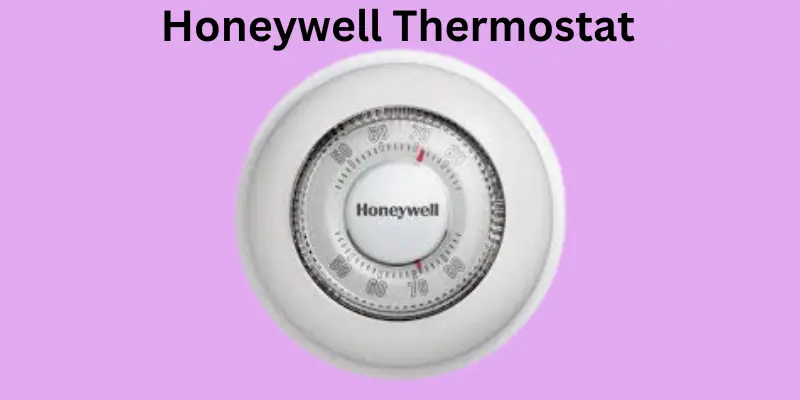
“Honeywell Thermostat” is a broad term covering a decades-long product family that ranges from basic mechanical and digital programmable thermostats to modern Wi-Fi smart thermostats and sensor systems. Honeywell Home (the consumer brand operated by Resideo, spun out from the original Honeywell HVAC business) now markets multiple series — including the T-series smart models (T5/T6/T9/T10), color-screen RTH models, and new budget-friendly X-series smart thermostats — each aimed at different user needs and budgets. The company emphasizes compatibility with common HVAC systems, ease of use, and utility rebates/energy-saving features.
Why Consider a Honeywell Thermostat?
- Variety of options: From non-programmable to Wi-Fi smart models with remote room sensors.
- Proven brand and support network: Many HVAC techs are familiar with Honeywell wiring and configuration.
- Features across price ranges: Energy Star certified models, smart response learning, remote sensors, color touchscreens, and now Matter compatibility on lower-cost units.
- Smart home integration: Works with Alexa, Google Assistant, Samsung SmartThings and, increasingly, Matter ecosystems.
Product Families and Headline Models
Below are the most commonly encountered Honeywell Home / Honeywell thermostat families and representative models you’ll see when shopping.
T-series (T5 / T6 / T9 / T10)
- Positioning: Sensor-capable, multi-room focus (T9/T10 are sensor bundles).
- Key features: Remote room sensors, occupancy detection, 7-day programmable schedules, compatibility with major smart assistants, humidity sensing on select models. Good for uneven heating/cooling situations.
RTH / Color Wi-Fi series (e.g., RTH9585WF)
- Positioning: Color touch-screen Wi-Fi thermostats with “smart response” learning and rich UI.
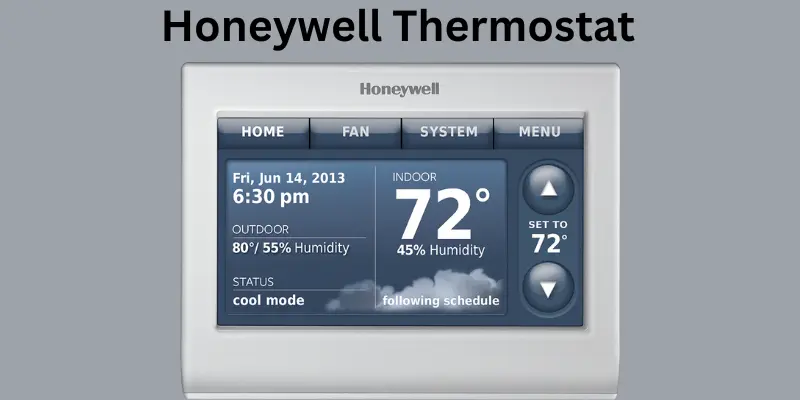
- Key features: Customizable color display, weather and outdoor conditions, scheduling, reminders (filter, maintenance), and smart response technology that adapts run times. These are traditional smart thermostats that balance advanced features and straightforward programming.
X-series (new Matter-compatible, entry level)
- Positioning: Affordable, Matter-capable smart thermostat aimed at getting more homes onto connected thermostats.
- Key features: Large screen, simple controls, app-based scheduling, Matter integration for local smart home control without cloud dependencies. The X2S in particular has been highlighted as a low-cost Matter thermostat option.
Lyric and legacy lines
- Positioning: Older smart thermostat family (Lyric) that introduced geofencing and an early app experience. Some Lyric products are in limited circulation or being phased out; if you find a Lyric for sale, verify support and firmware update status. eBay
Key Technical Features Explained
- Wi-Fi and app control — remote access via the manufacturer’s app for temperature control, scheduling, and push alerts. Works over home Wi-Fi (often 2.4 GHz requirement).
- C-Wire requirement — many modern smart thermostats require a common (C) wire for steady power. Some kits include a C-wire adapter; others require running a wire or using an HVAC pro. Always check before buying.
- Remote room sensors — allow the thermostat to read temperature/humidity in targeted rooms and base control on occupancy or averaged readings (helpful for bedrooms, basements, or problem rooms). T9/T10 are sensor examples. Honeywell Home
- Smart Response / learning — thermostats like the RTH series can learn how long your system takes to heat/cool and pre-start to meet scheduled setpoints, improving comfort.
- Energy programs, rebates & utility compatibility — many models enroll in utility programs for rebates and demand response. ENERGY STAR models can help qualify for incentives.
- Matter support (new) — Matter is a smart-home standard that simplifies cross-platform device control. New Honeywell X-series units target Matter compatibility, easing integration with Apple Home, Google Home, and others without platform lock-in. The Verge
Compatibility Checklist (before you buy)
Make sure your chosen Honeywell thermostat will work with your system:
- Identify your HVAC system type: single-stage heat/cool, heat pump, multi-stage, millivolt, or 120/240V line-voltage systems. Many consumer smart thermostats support low-voltage (24V) systems; specialty systems may need an HVAC-specific thermostat.
- Check for a C-wire: if your system lacks a C-wire, check whether the thermostat includes a C-wire adapter or if the manufacturer recommends a pro install.
- Confirm compatibility with humidifiers/dehumidifiers if you control whole-home accessories through your thermostat.
- Smart home integrations: if you use Alexa, Google, HomeKit, or Matter, verify the model supports the platform you rely on. Some older Honeywell models lack HomeKit and rely on Alexa/Google only.
Buying Guidance — Which Model for Which User
- Budget buyer, basic app control: look at the X-series entry models (Matter-compatible X2S) — low cost, simple setup, Matter connectivity.
- Sensor/room-level control: T9 or T10 bundles — best when you want to manage hot/cold spots with remote sensors.
- Feature-rich color display and comfort learning: RTH9585WF and other color RTH models — good balance of interface features and smart learning.
- Legacy or unique older equipment: T6 Pro and Lyric options — check compatibility and ongoing support before choosing a discontinued or legacy model.
Comparison Table — Three Thermostat Setups (concise shopping guidance)
| Feature / Setup | Basic programmable (e.g., RTH basic) | Advanced programmable + sensors (T9 bundle) | Smart thermostat (X2S / RTH9585WF) |
|---|---|---|---|
| Typical price | Low | Mid | Low-mid to mid |
| App control | Sometimes | Yes | Yes (Matter, Alexa, Google) |
| Remote sensors | No | Included | Optional |
| Learning / Smart Response | No | Limited | Yes (RTH smart response / X2S app features) |
| Compatibility | Standard 24V systems | 24V + sensors | 24V; C-wire often needed |
| Best for | Simple schedule replacements | Multi-room comfort | Smart home integration & energy programs |
| Energy rebates | Possible | Yes | Yes; ENERGY STAR models available |
Installation — What to Expect and Whether to Hire a Pro
DIY install is common for homeowners comfortable working near the HVAC control wires. Typical steps:
- Turn power off at the furnace/air handler breaker.
- Remove old thermostat, label wires, photograph existing wiring.
- Mount new backplate, attach wires to matching terminals, install thermostat.
- Restore power and follow app/manual setup for Wi-Fi and system type.
When to hire a Technician
- No C-wire and your chosen thermostat has no adapter.
- Complex HVAC: multi-stage, heat pump with aux heat, 120/240V line voltage, or integrated humidifier/dehumidifier zones.
- If you want the thermostat integrated into whole-home control systems by professionals.
Note about C-wire workarounds: Some thermostats include a power adapter or claim no-C-wire installation; these sometimes require additional accessories or only support limited features. For long-term reliability, a true C-wire is preferred.
Energy Savings and Real-world Results
Smart thermostats can save energy when used properly: scheduling, geofencing, and adaptive pre-heating/cooling reduce runtime. Honeywell advertises energy savings with recommended app settings, and utilities sometimes run demand response programs to reward connected thermostats. The actual savings depend on climate, HVAC efficiency, and occupant behavior. ENERGY STAR certified models and smart scheduling are the primary contributors to measurable savings.
Current Topics Highlights (2024–2025 )
- Matter compatibility becomes a differentiator. New Honeywell Home X-series models, notably the X2S, are positioned as an inexpensive, Matter-enabled option to get more homes onto interoperable smart home platforms without cloud lock-in. This addresses a market gap where many homes still lack connected thermostats and simplifies cross-platform control.
- Focus on affordability and scale. Honeywell (Resideo) has introduced lower-priced smart offerings to broaden the installed base and enable utility partnership programs. Expect more budget models with core smart features rather than premium learning AI.
- Sensor ecosystems remain important. Remote sensors (room sensors) are still a key selling point for customers with uneven temperatures; T-series models continue to promote multi-room comfort.
Troubleshooting Common Issues
- Thermostat won’t power on — check breaker and furnace power, ensure C-wire or battery power present.
- Won’t connect to Wi-Fi — verify 2.4 GHz vs 5 GHz requirements; some models only support 2.4 GHz. Reboot router if needed.
- Heating/cooling won’t run — confirm wired terminals are correct and system type selected in setup (heat pump vs conventional).
- Room sensors not reporting — check sensor batteries and range (200 ft typical for T9 sensors).
Buying Checklist — What to Bring to the Store or Include in the Online order Notes
- Picture of your current thermostat and wiring (take a clear photo of the terminal block).
- Know your HVAC type (single-stage heat/cool, heat pump, multi-stage, millivolt, or line voltage).
- Measure the wall opening and confirm baseplate compatibility if you have decorative plates connected to old units.
- Confirm presence/absence of C-wire. If absent, either choose a model with a C-wire adapter or plan pro installation.
- Note desired integrations (Alexa, Google, HomeKit/Matter).
- If you have sensors (humidity, humidifier, dehumidifier), note whether you want thermostat-driven control of those accessories.
HVAC Tech Checklist (what to hand your installer before installation)
- Model and SKU of the Honeywell thermostat you purchased.
- Photo of existing thermostat wiring and HVAC control board showing the wire landing points.
- Confirmation of C-wire availability or permission to pull a C-wire from the air handler.
- Desired system configuration (heat pump/aux heat, emergency heat, stage counts).
- Location preferences for remote sensors (bedrooms, living room, problem rooms).
- Access to Wi-Fi SSID and password if technician will configure connectivity.
- Request to verify and test humidity/humidifier connections if used.
- Ask the tech to test system response in heating and cooling modes and confirm correct cycle behavior.
Security and Privacy Considerations
- Account and cloud services: Most smart thermostats require a manufacturer account for remote access and cloud services. If you prefer local control only, prioritize Matter-enabled devices that can operate locally with compatible hubs.
- Firmware updates: Keep thermostat firmware current — updates patch security and improve device behavior.
- Network security: Place IoT devices on a segregated guest VLAN if your router supports it, limit open ports, and use strong Wi-Fi passwords.
How to Pick the Right Honeywell Thermostat for you
- Match the thermostat to your HVAC complexity. Simple 24V single-stage systems can use a basic programmable or entry smart model; complex multi-stage systems or integrated accessories may need pro help or a Pro/Commercial model.
- Decide how important multi-room sensing is. If you have hot/cold spots, a T9/T10 with remote sensors will give better comfort control than a single fixed sensor.
- Smart home integration vs. price. If you want the broadest cross-platform integration and local control, consider Matter-capable models; if you want advanced UI and learning features, look at the higher-end RTH and T series.
- Plan for installation. Check the C-wire situation early — it’s the most common snag.
Honeywell Thermostat Comparison — T9 vs RTH9585WF vs X2S
See further details
Quick Comparison Table
| Feature | T9 (RCHT9) | RTH9585WF | X2S |
|---|---|---|---|
| Primary focus | Multi-room sensing & occupancy | Color touchscreen & smart response | Affordable Matter & app control |
| Remote room sensors | Yes (sold with sensor bundles) | Optional / not sensor-centric | Optional / basic sensing |
| Smart home platforms | Alexa, Google, SmartThings | Alexa, Google (app control) | Matter (Apple Home / Google / Alexa) |
| ENERGY STAR | Yes (select SKUs) | Yes (some listings) | Yes (ENERGY STAR certified) |
| C-wire | Power adapter included in some kits; C-wire recommended | Typically requires C-wire | Requires C-wire (recommended) |
| Best if you want | Targeted room comfort | Rich UI + scheduling features | Low price + broad smart-home compatibility |
Feature Highlights and Real-world Value
T9 — best for uneven homes.
If certain rooms run too hot or cold, the T9’s remote room sensors let the thermostat average or prioritize specific rooms — great for two-story homes, basements, or bedrooms. It supports occupancy detection on sensors and includes humidity sensing and 7-day scheduling. For comfort-first households, the T9 delivers targeted temperature control that a single fixed sensor can’t match.
RTH9585WF — best for a polished touchscreen experience.
The RTH9585WF offers a customizable color touchscreen, Smart Response learning (it adapts run times to hit setpoints on schedule), and a full suite of scheduling and fan controls. If you want a traditional smart thermostat with an intuitive display and proven features, this model balances usability and advanced scheduling without needing sensor ecosystems.
X2S — best for smart-home compatibility at low cost.
Launched as an entry point for connected homes, the X2S emphasizes Matter support (so it works natively across Apple Home, Google, and Amazon platforms) and an aggressive price point (announced MSRP $79.99). It’s designed to bring basic smart features — flexible schedules, auto-away, humidity monitoring, and energy program support — to more homes at a low cost. For users who value cross-platform local control and simple installs, the X2S is compelling.
Installation & Compatibility Notes
- C-wire: Modern Wi-Fi thermostats usually need a stable power source; while some Honeywell kits include a power adapter, a proper C-wire is the most reliable option. Check your furnace/air-handler wiring before you buy.
- HVAC types: All three support common 24V systems; verify support for multi-stage or heat pump configurations for your particular system. The X2S lists broad compatibility up to typical 2 heat / 2 cool configurations. Duke Energy Store
Which Honeywell Thermostat Should you Pick?
- Choose the T9 if zone comfort matters and you plan to use remote sensors.
- Choose the RTH9585WF if you want a feature-rich touchscreen with reliable smart scheduling.
- Choose the X2S if you want the cheapest path to a Matter-enabled thermostat that plays nicely across Apple, Google, and Amazon ecosystems.
Short Buying Checklist
- Photograph your current thermostat wiring.
- Confirm C-wire availability or budget for a C-wire adapter/pro install.
- Decide if you need remote sensors (T9) or prefer single-point control (RTH/X2S).
- If you use Apple Home or want local control without cloud dependency, favor a Matter-capable model (X2S).
Honeywell Thermostat — Do’s and Don’ts, Pros and Cons
Whether you have a simple programmable Honeywell thermostat or a connected smart model like the T9, RTH9585WF, or X2S, using it correctly can make the difference between consistent comfort and frustrating performance. Below are the best practices (Do’s), common mistakes to avoid (Don’ts), and a realistic look at the advantages and disadvantages of Honeywell thermostats so you can get the most value from your investment.
Do’s — Best Practices for Honeywell Thermostat Owners
1. Do check HVAC compatibility before purchase.
Always verify your heating and cooling system type—single-stage, multi-stage, or heat pump—and whether a C-wire is available. Honeywell thermostats are designed for 24-volt systems; baseboard or line-voltage systems need special models.
2. Do install the thermostat in the right location.
Place it on an interior wall away from drafts, direct sunlight, and vents. The thermostat reads temperature where it’s mounted, so the location affects accuracy.
3. Do label and photograph your wiring during installation.
Before removing your old thermostat, take a clear photo of wire terminals. This helps avoid confusion when connecting wires to the new Honeywell unit.
4. Do connect your thermostat to Wi-Fi and update firmware.
Smart models like the RTH9585WF or T9 receive firmware updates that improve stability and add features. Connecting to Wi-Fi also enables remote access through the Honeywell Home app or Resideo app.
5. Do use scheduling and geofencing features.
Set 7-day schedules or enable geofencing (available on select smart models) so the system automatically adjusts when you leave or return home. This cuts energy waste.
6. Do enable Smart Response or Adaptive Recovery.
Many Honeywell models learn how long your HVAC system takes to reach a set temperature and start heating or cooling in advance. This feature keeps comfort consistent and can lower bills.
7. Do maintain sensors and batteries.
If you have remote room sensors (like on the T9/T10), replace their batteries annually and place them in rooms you use most. For thermostats with internal batteries, change them when you see a low-battery warning.
8. Do explore energy-saving programs.
Many Honeywell thermostats qualify for utility rebates or demand-response programs. Register your device and check local rebate portals for potential savings.
9. Do calibrate and verify operation after setup.
After installation, test both heating and cooling modes to ensure correct wiring and system type selection in the setup menu.
10. Do secure your smart thermostat account.
Use strong passwords and enable two-factor authentication in your Honeywell Home or Resideo app for added security.
Don’ts — Common Mistakes to Avoid
1. Don’t install without turning off power.
Always cut power at the breaker before touching thermostat wires to prevent short circuits or system damage.
2. Don’t ignore the C-wire requirement.
Some users try to bypass the C-wire using adapters or jumpers incorrectly. If your model needs one, use the official Honeywell power adapter or have a pro add the wire.
3. Don’t mount the thermostat near heat sources.
Avoid fireplaces, lamps, windows, or direct sunlight — these skew temperature readings and can cause short cycling.
4. Don’t skip app setup or firmware updates.
Without connecting the thermostat to the app, you lose access to remote control, alerts, and future updates.
5. Don’t override schedules manually all the time.
Constantly changing the temperature can defeat the purpose of scheduling. Instead, fine-tune your schedule and let the thermostat adapt automatically.
6. Don’t assume all Honeywell models work with every smart-home system.
The X2S supports Matter, while older models like the RTH9585WF rely on Alexa and Google integrations only. Always verify compatibility before linking with smart hubs.
7. Don’t neglect HVAC maintenance.
Your thermostat can only manage temperature efficiently if your filters, vents, and HVAC components are clean and working properly.
8. Don’t forget to check Wi-Fi band requirements.
Most Honeywell thermostats operate on 2.4 GHz networks only. If your router is 5 GHz-only, the device may not connect.
9. Don’t panic if your thermostat goes blank.
A blank screen often means no power from the furnace board, a tripped breaker, or a C-wire issue—not necessarily a bad thermostat.
10. Don’t share your thermostat login casually.
Giving app access to too many people increases the chance of accidental changes or security issues.
Pros of Honeywell Thermostats
1. Wide product range.
Honeywell offers everything from simple programmable units to Wi-Fi and Matter-enabled smart thermostats, so there’s an option for nearly every home and budget.
2. Reliable brand support.
Honeywell (and Resideo) thermostats are widely supported by HVAC professionals, and replacement parts are easy to find.
3. Energy efficiency.
Smart scheduling, adaptive learning, and remote sensors help reduce energy waste and lower utility bills.
4. Strong smart-home integration.
Models integrate with Alexa, Google Assistant, SmartThings, and the newer Matter standard for cross-platform control.
5. Advanced comfort control.
The T9/T10 series allows temperature averaging across multiple rooms, solving common hot-and-cold spot issues.
6. Regular firmware updates.
Honeywell thermostats receive ongoing updates to improve app connectivity and stability.
7. Availability of rebates and Energy Star models.
Qualifying models can earn rebates or incentives from many utilities, making upgrades more affordable.
Cons of Honeywell Thermostats
1. C-wire requirement.
Many Wi-Fi and smart models need a C-wire or adapter, which can complicate DIY installation.
2. App fragmentation.
Older models use the “Honeywell Home” app; some newer or professional lines may use “Total Connect Comfort.” This can confuse users managing multiple devices.
3. Occasional connectivity issues.
Users sometimes report Wi-Fi drops or app pairing glitches, usually due to router settings or 2.4 GHz/5 GHz conflicts.
4. Limited “learning AI.”
Compared to fully learning thermostats like Nest, Honeywell models emphasize manual scheduling with adaptive recovery rather than full auto-learning.
5. Interface consistency.
Touchscreen models vary in design; navigating menus can differ slightly between models.
6. Price range variance.
Some premium Honeywell thermostats approach the cost of competitors with more advanced automation.
Frequently Asked Questions (FAQs)
Q: Which Honeywell thermostat works with HomeKit?
A: Historically, Honeywell models often supported Alexa and Google Assistant first; HomeKit support has been more limited. Matter-capable X-series devices aim to improve cross-platform compatibility including Apple Home (HomeKit via Matter). Always verify model spec sheets for official HomeKit/Matter statements.
Q: Do Honeywell thermostats need a C-wire?
A: Many modern Wi-Fi models do require a C-wire for reliable power. Some kits include a power adapter or a “power extender” but a proper C-wire is generally the most reliable solution.
Q: Are Honeywell thermostats compatible with heat pumps?
A: Yes — many Honeywell models support heat pumps and multi-stage systems, but you must select the correct system type during setup and confirm terminal mapping.
Q: Are Honeywell thermostats energy efficient?
A: Smart scheduling, remote sensors, and adaptive pre-conditioning can reduce runtime and save energy. ENERGY STAR models and participation in utility programs can increase savings. Exact savings vary by home and usage.
Q: What’s the difference between RTH and T-series models?
A: RTH models are often single-unit Wi-Fi thermostats with rich interfaces (color displays, smart response), whereas T-series emphasizes multi-room sensing and occupancy features with sensor bundles. Check specs for exact feature sets.
Summary
Honeywell thermostats offer a wide range of options — from basic programmable replacements to sensor-driven smart thermostats and new, budget Matter-capable models aimed at simplifying smart-home integration. Key buying factors are HVAC compatibility (including C-wire), need for remote sensors, preferred smart-home ecosystem, and whether you want advanced display or learning features. Recent product focus includes bringing Matter compatibility to an affordable price point and expanding the installed base of connected thermostats for energy programs.
Conclusion
Choosing the right Honeywell thermostat comes down to three core questions: what your HVAC system requires, how much smart home integration you want, and whether multi-room comfort (sensors) matters to you. Honeywell Home’s current lineup covers those bases — the T-series for sensor-centric comfort, the RTH series for robust color-display smart control, and the new X-series for an accessible entry into Matter and broader smart home interoperability. With a careful compatibility check and a plan for installation (especially C-wire), a Honeywell thermostat can be a straightforward route to both better comfort and measurable energy savings.
Please Write Your Comments