Battery Storage for Critical Loads: How to Keep the Right Things Running
Updated: 7-Jul-2026
30
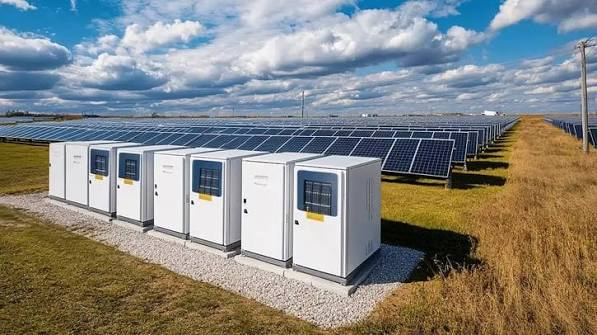
Battery storage is most useful when it has a clear job. For many homes and businesses, that job is not “run everything forever.” It is more practical: keep the right things running when electricity is expensive, unreliable, or temporarily unavailable.
A critical load is any device, circuit, or process that should keep operating when power is limited. In a home, that may mean refrigeration, internet, lighting, a sump pump, medical devices, or a well pump. In a business, it may mean point-of-sale systems, security, cold storage, network hardware, or essential equipment.
Why Critical-Load Planning Comes First
Battery capacity is measured in kilowatt-hours, but capacity alone does not answer the main question: what needs to stay on? A 10 kWh battery serving a refrigerator, router, and lights behaves very differently from the same battery serving central air, EV charging, and electric water heating.
The U.S. Department of Energy explains that energy storage can help make electricity available when it is needed, including when solar output changes or when demand rises. That value becomes practical only when the battery is connected to a real load strategy.
Essential Loads Are Not Always the Biggest Loads
Some essential loads use surprisingly little power. LED lights, routers, phone chargers, and many control systems may run for a long time on modest stored energy. Other critical loads, such as pumps, compressors, and HVAC equipment, can have higher running power or startup surge.
That distinction matters. A battery may have enough stored energy for hours, but the inverter and controls must also support the power required when a device starts. A proposal should explain which critical loads have been checked and how they will behave during backup operation.
Nonessential Loads Should Have a Plan Too
It is not enough to choose what stays on. The system should also know what waits. EV chargers, laundry equipment, pool pumps, dishwashers, and some heating or cooling loads may be flexible. Delaying them can preserve energy for the devices that matter most.
This is where a product comparison across battery storage products should look at controls, monitoring, and load-management behavior rather than only nameplate capacity.
Battery Storage for Homes and Businesses
Homes and businesses often need battery storage for different reasons, but the planning logic is similar: identify essential loads, define acceptable downtime, and understand the value of continuity.
Home Use Cases
For homeowners, critical-load battery storage often starts with comfort and safety. A refrigerator keeps food from spoiling. A router keeps remote work or emergency communication available. A sump pump can prevent water damage.
Battery storage can also support solar self-consumption. Solar panels may produce more electricity during the day than the home uses immediately. A battery can store some of that energy for the evening or for outage reserve. EnergySage notes that backup duration depends on appliance demand, battery capacity, and whether solar can recharge the system.
Business Use Cases
For businesses, the value may be operational. A restaurant may need refrigeration and point-of-sale systems. A small clinic may need network, lighting, and critical devices. A warehouse may need access control and communications.
Commercial sites may also face demand charges. A demand charge is based on the highest short period of power use during a billing cycle. Battery storage can sometimes reduce that peak by discharging when equipment overlaps, but the economics depend on the utility tariff and load profile.
What to Ask Before Choosing a System
The strongest battery storage proposals make assumptions visible. Before signing, buyers should ask practical questions that connect equipment to real behavior.
Which Loads Are Backed Up?
Ask for a written list of supported loads. For a home, that may include refrigerator, router, lighting, pumps, outlets, and limited HVAC. For a business, it may include refrigeration, IT, security, registers, and selected equipment.
How Long Will They Run?
Runtime should be shown as a range, not a single perfect number. Weather, load behavior, battery reserve, and solar recharge can all change the result.
Can the Battery Recharge From Solar?
Solar recharge can extend backup time, but only if the system is designed for safe islanded operation. Not every solar installation can do this by default.
What Does the Owner See?
Monitoring matters because owners need to trust the system. The app or dashboard should show state of charge, current loads, solar production if present, grid imports, reserve, and alerts.
The Role of Smarter Energy Design
Battery storage is becoming part of broader energy planning. Homes are adding EV chargers and heat pumps. Businesses are electrifying fleets and installing solar.
Storage Works Best With Clear Priorities
The system should know whether the main priority is backup, savings, solar self-use, peak reduction, or future expansion. Those priorities may change by season.
Future Loads Should Be Included
A battery system installed today may need to support different loads in three years. A second EV, a larger solar array, a new heat pump, or expanded business equipment can change the design requirements. Buyers reviewing Sigenergy products can ask how storage and smart energy control might fit together over time.
Final Takeaway
Battery storage does not need to power everything to be valuable. It needs to power the right things, at the right time, with controls the owner can understand. The smartest first step is a critical-load list, followed by a realistic operating model and a design that can adapt as energy needs change.
Please Write Your Comments